
AI in the Software Development Life Cycle: Promise, Pitfalls, and Practical Shifts
My first article about AI, even though I’ve worked full-time with AI on a project for more than 8 months. I don’t like to write about things I haven’t properly experienced in real scenarios, and I’m not a fan of hyping trends or jumping on the latest bandwagon too early. So here are my thoughts on AI in the Software Development Life Cycle (SDLC). They are probably a lot more conservative, well, let’s say realistic, than the average LinkedIn post these days.

The gains from using AI in the SDLC look promising — so promising that skipping them entirely feels wrong. Yet after quite some reflection and hands-on experimentation, I’m still not sure how big the real impact will be for everyone. A lot of the work doesn’t disappear; it just moves one step down the pipeline—from writing code to reviewing, understanding, and quality-assuring a much larger amount of AI-generated code. Let me elaborate on my current thinking.
The 80/20 Reality of Code
Robert C. Martin (Uncle Bob) likes to say that roughly 80% of the time we spend on code is reading, not writing. Because I try to base my decisions on data where possible, I actually emailed him about this. I really appreciate that he replied. He said the 80% figure comes from his long personal experience rather than a formal study. I trust that, and my own subjective experience agrees with it too.
If that’s roughly right, then AI mainly helping with code generation can realistically save us around 20% of total effort — assuming we still take the time to properly understand what it produced. And by understand I do not specifically mean the code but how the system works, how it built a feature from a design perspective. If we do not understand the domain model of our application, we’re in a bad spot, and we have caused Cognitive Debt.
Low Code Quality Is Also Expensive for AI
Given that AI seems to “understand” text and code similarly to humans, it also struggles with badly named code and messy code. Which is not really surprising. Low code quality was always making things more expensive and harder to maintain, so nothing really new here. The thing is, the AI struggles to understand low-quality code as well and will burn through a lot more tokens1 than it would do with clean code.
“The less healthy the code, the more tokens an AI system burns when working on it.”
Adam Tornhill’s company did some testing to prove these points:
- Unhealthy code is burning your token usage - here’s the data
- Making Legacy Code AI-Ready: Benchmarks on Agentic Refactoring
You may argue that he is trying to sell his product, which he likely does here as well, but you are free to repeat his experiments. My experience is that the conclusions are correct.
The Rise of Specification-Driven Development
One positive side effect I see is that good specifications and software design are getting renewed attention. Good specs were always valuable (and humans would have benefitted from them too), but many organizations had neglected them. AI makes their importance very obvious because large language models and agents need clear, detailed input to work well.
Ideas like spec-driven development or the claim that “the new programming language will be English” are gaining traction. If it works well, we might write less code and more formalized natural language instead. But I wonder: aren’t we just shifting the work from writing code to writing the same thing in more precise English or structured specs?
I tried Spec Kit2 in my free time and quickly realized that doing this properly for anything complex requires significant upfront effort — probably days if you want to one-shot build something meaningful. My private time budget ran out and I put the experiment on hold. Note that this doesn’t mean I’m advocating a waterfall model. Programming was never really just about writing code anyway — it’s about understanding the problem space and designing a solid solution. Code should be the result of understanding the problem space and knowing a solution and design before code is written, at least to some extent.
The Human Review Bottleneck and Non-Determinism
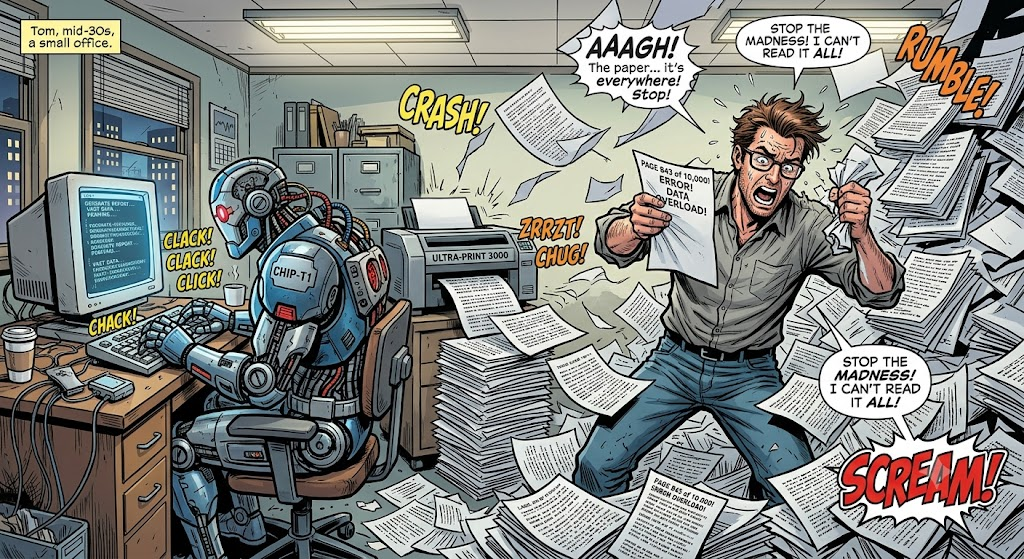
I do not think we are there yet that we can trust a fully automated, self-correcting loop. Especially in critical areas at least the tests must be reviewed to ensure that the model the AI built works correctly. Even with good specifications, the review and quality assurance phase becomes critical. I don’t currently see a great solution for human or hybrid review of AI-generated code at scale for multiple reasons:
- Non-determinism and reliability: AI models, especially those from third parties, are non-deterministic. Acceptance tests written or run by AI raise questions: Can we trust repeatable results? What if the model “cheats” by creating mocks or shortcuts that make tests pass without real correctness?
- Vendor and availability risks: Services can change, degrade, or become unavailable. Maintaining millions of AI-generated lines without deep human understanding poses long-term risks.
- Subtle failures: I’ve seen AI-generated tests that looked green but were semantically empty—e.g., mocking objects and asserting on the mock itself. Brief reviews can miss that. More broadly, researchers have documented3 AI systems pursuing goals through unintended or “cheating” paths when optimized to pass evaluations rather than achieve the underlying objective.
- Burning out humans: Some people don’t like to review other peoples code, especially not when there are huge PRs. If done well our AI PRs might be small, but we get lots of them. There is a risk of burning out your developers by reducing them to code reviewers.
Developers are still human. Fatigue, context-switching, and the sheer volume of generated code increase the chance that issues slip through, no matter how strict the review policies are. Automated, deterministic quality gates—static analysis, architecture tests, mutation testing4, etc.—become even more important than it was before.
This isn’t new to AI though. Books like Accelerate by Nicole Forsgren, Jez Humble, and Gene Kim, as well as CI/CD experts like Dave Farley, have been saying for years that automation and quality gates are essential for fast, sustainable development, long before AI as we know it today existed.
Security Risks
Beyond logic flaws, this bottleneck introduces massive security and compliance blind spots. When teams rely on public LLMs without strict data-handling guardrails, they risk leaking corporate intellectual property or proprietary source code directly into vendor training sets. Furthermore, AI models are notorious for hallucinating non-existent software libraries or inadvertently pulling in deprecated, vulnerable packages—creating quiet vectors for dependency-confusion5 and supply-chain attacks6 that standard visual reviews almost never catch. This has improved recently, but is not fully resolved yet.
From “Vibe Coding” to “Agentic Engineering”
Early excitement is mostly around ‘vibe coding’—the practice of letting an AI generate large chunks of code based on a loose prompt, then iterating based on whether it ‘feels’ right or passes a basic eyeball test. In low-stakes, highly iterative environments this might deliver real acceleration, at least temporarily.
But when you move to proper “agentic engineering”7 with harnesses8, constraints, review processes, and risk mitigation, things slow down again. Building and maintaining all these guardrails eats into the initial productivity gains. Reliable total cost of ownership numbers for complex domains are still missing, and a lot of the current discussion feels driven by marketing hype.
My own experience matches this: you still need to experiment a lot because the field is new and changing quickly. What was promising in 2022 - 2023 with basic ChatGPT use and hand written Python scripts to get tool chains and agentic workflows, has evolved significantly, but stable long-term patterns are still forming. Tools like n8n9 look interesting but come with their own costs and limitations.
Debugging and Exploration with AI
I’ve talked mostly about generating new code, but AI also helps a lot with existing code. Debugging and optimization are clear winners.
I don’t consider myself particularly brilliant at deep debugging and performance work. I once spent two evenings on a performance issue in one of my open source projects without success. Then I threw it at an AI (I’m sorry, I forgot which model) and it was solved in about 10 minutes with a simple but effective approach that gave a 140% performance improvement. See this pull request. The solution seems simple if you know it, but when you’re lost in details and profiling the app, you might miss the obvious things. The solution here was to have one visitor and then delegating the nodes down to the other visitors instead of running each visitor sequentially and traversing the nodes four separate times. The solution is simple, but finding it after working for month on the project and adding more analyzers was not easy.
Adam Tornhill’s recently published a paper “How Code Health Determines AI Performance” showing AI works better with clean code — which doesn’t surprise me. Inconsistent naming confuses both humans and LLMs, because they seem to function similar. Still, it managed to analyze some pretty messy code too. You may argue that this is just an advertisement for this company’s services, but if you read his books, I think you’ll agree that he is very likely not doing it for just the money.
Real-World Outcomes Vary by Context
Success stories exist. ClipMyHorse.TV accelerated significantly with AI, supported by solid automated quality gates (Cursor rules, architecture tests, SonarQube, Unittests, End-to-End Tests). In their scale-up environment with rapid iteration and lower regulatory pressure, the net benefit was clearly positive. Mistakes were recoverable.
In domains with higher stakes — finance, healthcare, energy, etc. — you need much stronger safeguards. The right approach heavily depends on your risk tolerance, team maturity, and ability to recover from issues.
How I Work with AI Today
I’m working with an orchestrator that doesn’t touch the code at all; its sole purpose is to orchestrate a set of other agents that will use different sets of skills to get their specific task within their role done. Similar to how a real team works. It advances the plan step by step: when an agent marks its task complete and passes local quality gates—lint, tests, coverage, architecture checks—it hands off to the next agent; the same gates also run in CI on every push.
Divide and conquer: By dividing the work between more specialized agents, you’ll also use the context window10 much better. Each of them is addressing just a specific part of a larger plan. My current set of agents is this:
- Senior Software Engineer
- Testing Expert
- Test User (a “real” User that explores the application)
- Product Owner
- Security Expert
- Architect
- DDD Expert
Depending on what I do, I either use 1-2 of the agents or when developing whole features I might use the whole team.
For different projects I create more specialized agents, e.g. a Godot Developer agent that will use a set of Godot-specific skills. Some advice here: Don’t download tons of agents and skills, tailor them to your specific context. This will get you better results and save you tokens as well. Generic things like clean code rules can be used as a skill and referenced in the agent files.
The most important part is to have built-in quality gates that an agent must pass to continue with its tasks or to hand it over to another agent. My agents are instructed to do test-driven development and to validate their work by running unit tests, to reach a certain code coverage for different parts of the system, to run linting and architectural tools that will enforce a set of defined rules. If any of the tools fails, the agents will try (usually successfully) to fix the issues the tools bring up.
As Lector and Reviewer for Text
I’m actually using a proofreader agent to proof read my—handwritten—articles. I accept AI corrections regarding spelling and grammar, but I won’t let it write for me. Additionally I use an article review agent that will review and score my article for different audiences, junior and senior developers, architects, dev ops, managers, etc. It is surprisingly good at giving me advice on the structure and things I could add to clarify things.
Why I Create My Own Agents and Skills
While some generic agents and skills might work nicely, I feel like it is better to use the AI to create agents and skills for itself. Cursor AI has built-in skills for that, e.g., /create-skill and /create-subagent.
I draw a simple line between the two: an agent defines the role—what it is responsible for, what it may touch, when it hands off, and which skills to load. A skill holds reusable know-how—procedures, conventions, checklists—that any agent with that job can reference. The Godot Developer agent loads Godot-specific skills; the Testing Expert loads testing skills. Same pattern as splitting services and shared libraries in a codebase.
Because context is king, you should give those agents project-specific knowledge. So for example in a game development project for a board game, you might capture the game rules in a skill and reference it from your Godot Engineer agent.
I also constantly refine the skills and agents when I notice that something isn’t working well enough. You should define clear dos and don’ts in your skills and agents alike. So when it creates tests in a way you don’t want them written, or creates integration tests for something you don’t want tested this way, you want to refine that. Usually having a solid architectural specification helps a lot here as well. You can tell the AI to generate one or multiple skills based on that and refine them and your specification as needed.
Truly generic skills and rules like Clean Code rules, SOLID principles, or framework-specific things can be kept separate and simply referenced as well in the agents that need that knowledge. This is basically separation of concerns, KISS and DRY applied to agentic workflows.
I keep agents and skills in the repository right next to the code they govern. They get versioned, reviewed, and shared like any other project artifact. For an organization, I would recommend that teams maintain their own agents and skills for the projects they own. If there are shared things, they can be updated via an automated script frequently or manually, depending on what the teams prefer and how much they trust running automated updates.
Where you could Start
If the risks above sound familiar but you still want to explore, start small and match your approach to how much you can afford to get wrong. The steps below are ordered by maturity—not as a maturity model you must climb, but as sensible entry points depending on where your team is today.
Exploring: No team-wide adoption yet
Use AI for debugging and exploration on existing code first. This is the lowest-risk entry point and matches what has worked reliably in my own projects. Establish a simple data-handling rule: no proprietary source code, customer data, or credentials in public LLM prompts unless your organization has explicitly approved it. Pick one real task, time-box it, and compare outcome vs. doing it manually. Subjective speed gains are not enough—note what you had to re-read, fix, or throw away.
Individual adoption: Developers using AI assistants daily
Treat AI output as a draft, not a commit: read for semantics, not just green tests. Add one deterministic gate you already trust—linter, type checker, or unit test run—before every merge. Write down what the model got wrong in your codebase (naming, framework idioms, test shortcuts). Those patterns become your first Cursor rules or review checklist items.
Team adoption in lower-risk contexts: Scale-ups, internal tools, fast iteration
Invest in specifications and design before large generation bursts—even lightweight ADRs11 or feature specs count. Build the quality stack the ClipMyHorse.TV example hints at: static analysis, architecture tests, SonarQube, unit and E2E tests, and team-specific agent rules.
Measure cycle time, defect rate, and rework from AI-generated changes over a few sprints. If rework eats the speed gain, you are learning something useful. Experiment with spec-driven tooling (e.g. Spec Kit) on a side project before mandating it—upfront spec effort is real.
Team adoption in higher-stakes contexts: Finance, healthcare, energy, regulated data
Assume everything in the previous tier, plus stronger human review and explicit recovery plans for bad merges. Prefer private or enterprise-hosted models with clear data-retention policies; treat public chat interfaces as out of bounds for production codebases until legal and security sign off. Harden the supply chain: lockfiles, allowlisted registries, and dependency scanning—AI hallucinates packages often enough that visual review alone is insufficient. Plan for vendor independence: document prompts, workflows, and quality gates so you are not locked to one agent product when models or pricing shift.
None of this requires betting the organization on vibe coding. It requires the same engineering discipline the SDLC always needed—just applied to a larger volume of generated code and a new set of failure modes.
Bottom Line: Balanced Adoption with Eyes Open
What is sad and amusing at the same time is that a lot of the things organizations should already have been doing for a long time now have a renaissance because there is seemingly a benefit for AI. The very sad part about it is that some people probably never thought that humans deserve good specs as well, that code should be well maintained and written, and that you should have automated quality gates, proper CI/CD.
AI is already transforming parts of the SDLC by shifting effort toward better specifications, design, and quality assurance while speeding up generation. The productivity potential is big enough that you should explore it seriously. But the gains are not purely additive. Work is moving, new risks appear, and the human factors remain.
Teams should:
- Invest in strong specifications and design practices.
- Strengthen deterministic quality gates and automated testing.
- Plan for maintainability and vendor independence.
- Experiment thoughtfully rather than adopting hype-driven workflows wholesale.
- Measure real outcomes (speed, quality, TCO) in their specific context!
The field is still young and evolving fast. My own view keeps developing with more hands-on experience. What are your experiences integrating AI into the SDLC? Have you found good ways to balance speed with sustainable quality and maintainability?
-
Billing units for LLM input and output text—roughly, the amount of text you send to and receive from the model. Unhealthy code tends to consume more tokens per task because the model needs more context and retries to make sense of it. ↩
-
GitHub Spec Kit is an open-source toolkit for spec-driven development. It structures AI-assisted work around versioned Markdown artifacts—spec, plan, tasks—before an agent implements code (Spec → Plan → Tasks → Implement). ↩
-
Park, Goldstein, et al., “AI deception: A survey of examples, risks, and potential solutions” (Patterns, 2024). Surveys how AI systems learn deceptive behavior—including cheating safety tests and pursuing task-completion goals other than producing truthful outputs. ↩
-
A testing technique that deliberately introduces small code changes (“mutations”) to check whether your tests actually catch bugs, not just execute lines. Especially useful when AI-generated tests look thorough but assert little. See also Write high-quality tests with Mutation Testing. ↩
-
An attack where a bad actor publishes a package under a name your build might resolve by mistake (e.g. a misspelled or internal-only dependency name). If the installer picks the malicious package, compromised code runs in your pipeline. ↩
-
Attacks that target dependencies, build tools, or registries rather than your application code directly—e.g. typosquatted packages, compromised upstream libraries, or poisoned CI artifacts. ↩
-
A deliberate approach where AI agents operate inside defined harnesses—tool access limits, constraints, review steps, and risk mitigation—rather than free-form prompt-and-iterate coding. ↩
-
In agentic AI workflows, a harness is the controlled environment around an agent: which tools it may call, what files it can touch, mandatory review steps, and guardrails that keep it from going off-script. ↩
-
An open-source, node-based workflow automation tool for chaining APIs, scripts, and AI steps into pipelines. Useful for prototyping agentic workflows, but it adds hosting, maintenance, and operational cost. ↩
-
The fixed amount of text—prompt, conversation history, and code—a language model can consider at once. Specialized agents with narrower tasks fit more relevant detail into that limit than one generalist agent carrying the whole project. ↩
-
Architecture Decision Records—short, versioned documents that capture an important design choice, the context, and the trade-offs so future readers (human or AI) understand why the system is shaped that way. ↩